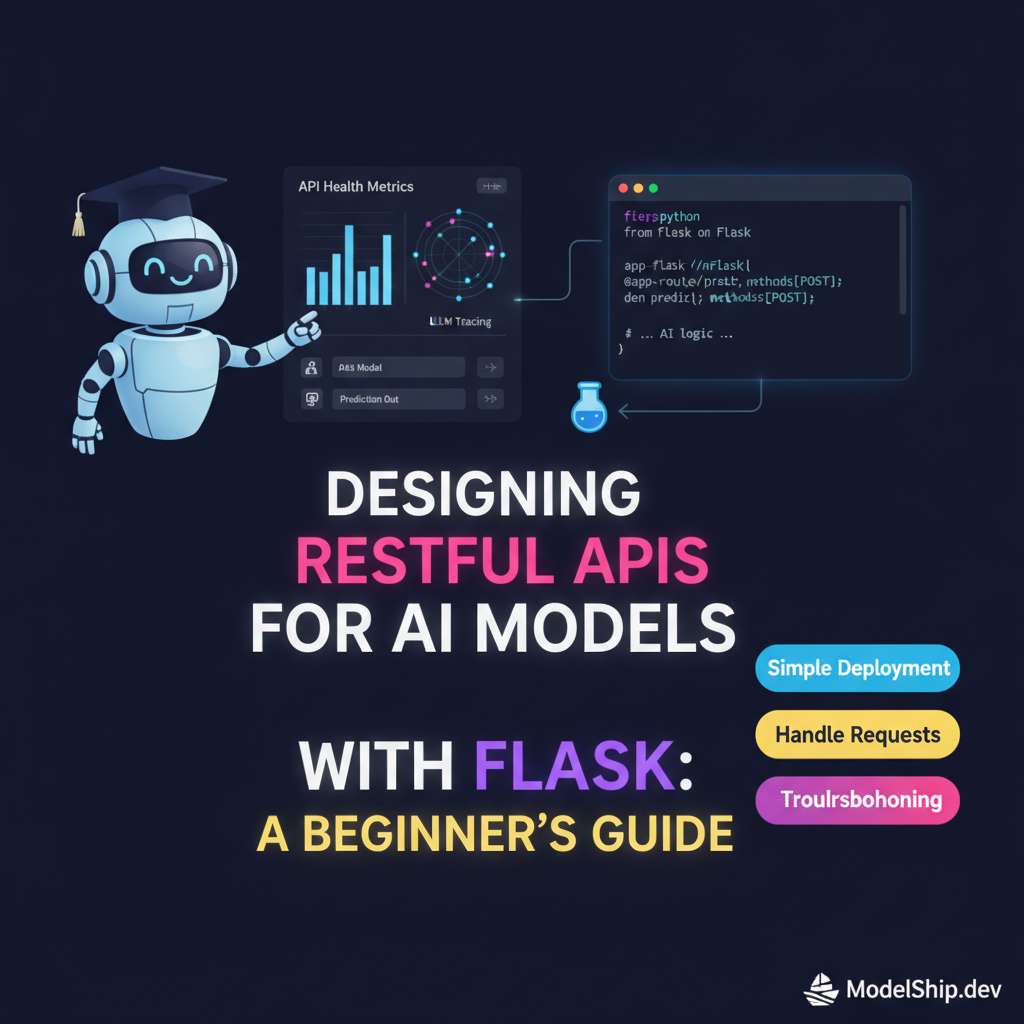
Designing RESTful APIs for AI Models with Flask: A Beginner's Guide
TL;DR
In this tutorial, we'll explore how to design RESTful APIs for AI models using Flask. You'll learn how to create a simple API, handle requests and responses, and deploy your model. Don't worry if you're new to this - we'll take it one step at a time. By the end of this guide, you'll have a fully functional API up and running, and you'll be ready to take your AI models to the next level.
Key Takeaways
- Understand the basics of RESTful APIs and how they work with AI models
- Learn how to create a simple API using Flask and deploy it
- Discover how to handle requests and responses, and troubleshoot common issues
- Familiarize yourself with API security best practices and common pitfalls to avoid
- Get hands-on experience with building and deploying a real-world API
Introduction to RESTful APIs
Think of it like a restaurant - you, the customer, send a request to the waiter (the API), who then takes your order and brings you the food (the response). In this case, the food is the data or results from your AI model.
What are RESTful APIs?
RESTful APIs, or Representational State of Resource, are an architectural style for designing networked applications. They're based on the idea of resources, which are identified by URIs, and can be manipulated using a fixed set of operations.
Why Use RESTful APIs for AI Models?
APIs provide a way to expose your AI model to the world, making it accessible to other applications and services. This is especially useful for AI models that need to be integrated with other systems, such as web applications or mobile apps. For example, you can use AI in everyday life by leveraging AI-powered tools and services that make your life easier.
Setting Up Flask and Creating a Simple API
Here's a simple way to get started with Flask: first, install it using pip, then create a new Python file and import the Flask library. Next, create a new instance of the Flask class, and define a route for your API.
from flask import Flask, jsonify
app = Flask(__name__)
@app.route('/api/predict', methods=['POST'])
def predict():
    # Your AI model code goes here
return jsonify({'prediction': 'result'})Handling Requests and Responses
When a request is made to your API, Flask will call the corresponding function and pass in the request data. You can then use this data to make predictions with your AI model, and return the results as a response.
Troubleshooting Common Issues
Don't worry if you encounter issues - it's all part of the learning process. One common mistake is forgetting to handle errors properly, which can lead to confusing error messages. Make sure to use try-except blocks to catch and handle any exceptions that may occur.
API Security and Best Practices
Security is a top concern when building APIs - you don't want unauthorized access to your AI model or data. One way to secure your API is to use authentication and authorization, such as JSON Web Tokens (JWT) or OAuth.
Common Pitfalls to Avoid
One common pitfall is not validating user input properly, which can lead to security vulnerabilities. Make sure to use validation libraries, such as Flask-WTF, to ensure that user input is valid and secure.
API Documentation and Testing
Good documentation is essential for any API - it helps users understand how to use your API and what to expect. Use tools like Swagger or API Blueprint to generate documentation for your API, and make sure to test your API thoroughly to catch any bugs or issues.
Deploying Your API
Once you've built and tested your API, it's time to deploy it to a production environment. You can use cloud platforms, such as AWS or Google Cloud, or containerization tools, such as Docker, to deploy your API.
Using Docker for Deployment
Docker provides a convenient way to package and deploy your API - just create a Dockerfile, build an image, and push it to a registry. You can then use the image to deploy your API to any environment.
FROM python:3.9-slim
RUN pip install flask
COPY . /app
WORKDIR /app
CMD ["flask", "run"]
Frequently Asked Questions
What is the difference between a RESTful API and a GraphQL API?
A RESTful API uses a fixed set of endpoints and operations, whereas a GraphQL API uses a single endpoint and allows clients to specify exactly what data they need.
How do I handle errors in my API?
Use try-except blocks to catch and handle any exceptions that may occur, and return error responses with meaningful error messages.
What are some best practices for securing my API?
Use authentication and authorization, validate user input, and use secure protocols, such as HTTPS, to protect your API and data. For more information on AI ethics and safety, check out our article on AI ethics essentials.
Conclusion
Congratulations - you've made it to the end of this tutorial! By now, you should have a good understanding of how to design and build RESTful APIs for AI models using Flask. Remember to keep practicing, and don't be afraid to try new things. For more information on machine learning and AI, check out our article on machine learning simplified. Happy coding!
I help everyday people understand and use AI tools without a tech degree. Former teacher turned content creator — I believe AI should be accessible to everyone.
More from Priya Patel →Discussion
Loading comments…
Leave a comment
Related Articles