CI/CD for AI APIs with CircleCI and GitHub Actions
TL;DR
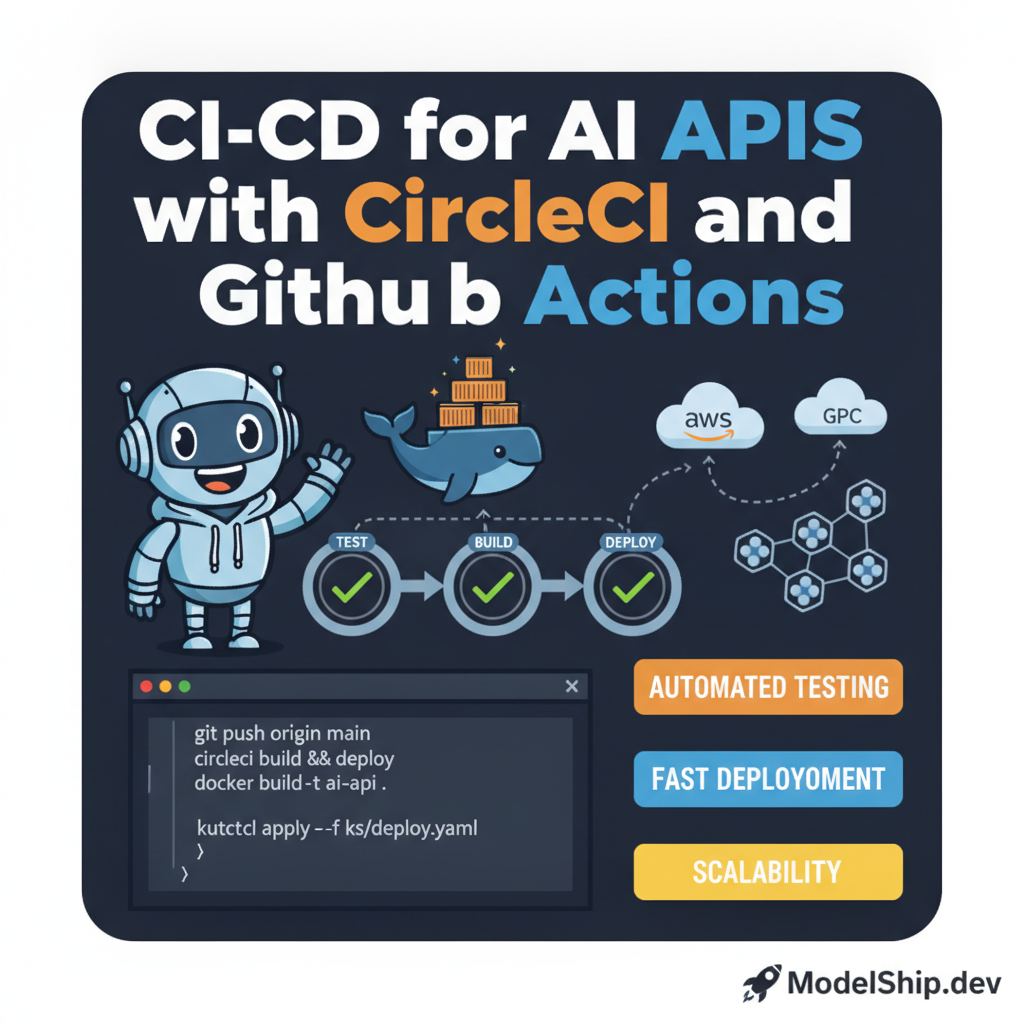
In this tutorial, you'll learn how to set up a CI/CD pipeline for your AI API using CircleCI and GitHub Actions. I love this trick because it saves so much time and effort in the long run. Think of it like having a personal assistant for your code deployment. You don't need to be a programmer to understand the basics of CI/CD, and by the end of this tutorial, you'll be able to automate your AI API deployment like a pro.
Key Takeaways
- Understanding the basics of CI/CD and its importance in AI API deployment
- Setting up a CI/CD pipeline using CircleCI and GitHub Actions
- Automating testing, building, and deployment of AI APIs
- Avoiding common mistakes in CI/CD pipeline setup
- Using <a href='/blog/deploying-ai-apis-on-kubernetes-with-docker'>Deploying AI APIs on Kubernetes with Docker</a> for scalable deployment
Introduction to CI/CD for AI APIs
Don't worry if you're new to this — CI/CD is a straightforward concept to grasp. Think of it like a factory assembly line, where each stage of the process is automated to ensure efficiency and quality. In the context of AI APIs, CI/CD helps you automate the testing, building, and deployment of your APIs, saving you time and reducing the risk of human error.
What is CI/CD?
CI/CD stands for Continuous Integration and Continuous Deployment. It's a methodology that helps you automate the entire software development process, from coding to deployment. Here's a simple way to think about it: imagine you're building a house, and each stage of the process, from foundation to roofing, is automated to ensure that the final product is stable and functional.
Setting up a CI/CD Pipeline with CircleCI
Now that we've covered the basics of CI/CD, let's dive into setting up a pipeline with CircleCI. CircleCI is a popular choice for CI/CD because it's easy to use and integrates well with GitHub. I love this trick because it's so easy to set up and use, even for beginners. You don't need to be a programmer to understand how to use CircleCI.
version: 2.1
jobs:
  build-and-test:
    docker:
      - image: circleci/python:3.8
    steps:
      - checkout
      - run: pip install -r requirements.txt
      - run: python tests.py
Configuring CircleCI
Configuring CircleCI is straightforward. You'll need to create a new file in your GitHub repository called config.yml, and add the following code to it. Think of it like a recipe for your CI/CD pipeline.
Setting up a CI/CD Pipeline with GitHub Actions
Github Actions is another popular choice for CI/CD. It's integrated directly with GitHub, making it easy to use and set up. Here's a simple way to think about it: imagine you're building a Lego castle, and each stage of the process, from foundation to completion, is automated to ensure that the final product is stable and functional.
name: AI API Deployment
on:
  push:
    branches:
      - main
jobs:
  build-and-test:
    runs-on: ubuntu-latest
    steps:
      - name: Checkout code
      - name: Install dependencies
      - name: Run tests
Configuring GitHub Actions
Configuring GitHub Actions is straightforward. You'll need to create a new file in your GitHub repository called workflow.yml, and add the following code to it. Don't worry if you're new to this — it's easy to understand and set up.
Common Mistakes to Avoid
Another common mistake is not monitoring your pipeline's performance. Here's a simple way to think about it: imagine you're driving a car, and you need to monitor the dashboard to ensure everything is working correctly.
Best Practices for CI/CD
Now that we've covered the basics of CI/CD and how to set up a pipeline with CircleCI and GitHub Actions, let's talk about best practices. One best practice is to use Deploying AI APIs on Kubernetes with Docker for scalable deployment. Another best practice is to use Optimizing AI API Performance with Caching and Redis to improve performance.
Using Docker for Scalable Deployment
Using Docker for scalable deployment is a great way to ensure your AI API can handle a large volume of requests. Here's a simple way to think about it: imagine you're building a house, and you need to use the right materials to ensure it's stable and functional.
Frequently Asked Questions
What is the difference between CircleCI and GitHub Actions?
CircleCI and GitHub Actions are both CI/CD tools, but they have some differences. CircleCI is a more mature tool with a larger community, while GitHub Actions is a newer tool that's integrated directly with GitHub.
How do I troubleshoot my CI/CD pipeline?
Troubleshooting your CI/CD pipeline can be challenging, but there are some steps you can take. One step is to check the logs for errors, and another step is to test each stage of the pipeline individually.
Can I use CI/CD for non-AI projects?
Yes, you can use CI/CD for non-AI projects. CI/CD is a methodology that can be applied to any software development project, regardless of whether it's AI-related or not.
Conclusion
In conclusion, setting up a CI/CD pipeline for your AI API is a straightforward process that can save you time and effort in the long run. By following the steps outlined in this tutorial, you can automate the testing, building, and deployment of your AI API, and ensure that it's stable and functional. Don't forget to check out Building a Containerized AI Dev Environment with Docker and Jupyter for more information on building a containerized dev environment, and Kubernetes for Devs: Practical Guide for more information on using Kubernetes for deployment.
I help everyday people understand and use AI tools without a tech degree. Former teacher turned content creator — I believe AI should be accessible to everyone.
More from Priya Patel →Discussion
Loading comments…
Leave a comment
Related Articles